TL;DR
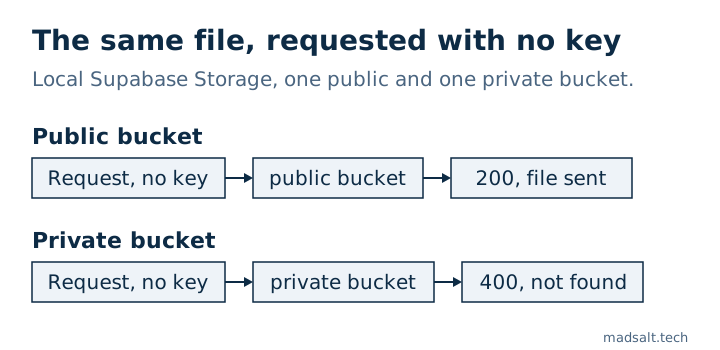
A public bucket serves every file in it to anyone who has the URL, with no key and no login: your storage policies are not consulted for downloads. On my local stack the same test file returned 200 with its contents from a public bucket and 400 from a private one. Uploads, deletes and moves still go through policies. Use public buckets for files that are public by nature, such as avatars and article images, and private buckets with signed URLs for everything else.
My free Supabase security checker has two rules about buckets: “Public storage buckets” lists them so you can confirm each one is meant to be public, and “Public buckets without upload limits” flags public buckets with no size or file type limit. Here is what the public flag actually changes.
What does a public bucket mean in Supabase?
Supabase’s buckets guide defines two access models. In a private bucket, every operation, downloads included, goes through RLS policies on storage.objects; a file is read with the user’s token or a signed URL that expires. In a public bucket, retrieving and serving files bypasses access control, so anyone with the URL can read the file. Access control still applies to uploading, deleting, moving and copying.
Buckets are private by default. A bucket becomes public when someone ticks the box in the Dashboard or creates it with public: true, which is a common shortcut when an image does not load.
What did each bucket return in my test?
On a local Supabase stack (CLI 2.109.1), I created one public and one private bucket, uploaded the same small text file to both with the secret key, then requested it without any key, as a stranger with the link would:
Request for 2026/invoice-001.txt |
Public bucket | Private bucket |
|---|---|---|
/storage/v1/object/public/…, no key |
200, file contents |
400, “Bucket not found” |
/storage/v1/object/authenticated/…, publishable key only |
200 |
400 |
The private bucket answers as if it did not exist, which is what you want. The public one hands the file to anyone who can guess or find the path.
Why does the URL matter so much?
A public file is only as secret as its path. Paths are often predictable: a user id, a date, an invoice number. They also leak through page source, shared links, browser history and logs. An invoice, a passport scan or a signed contract in a public bucket is effectively published.
How do you choose and fix it?
- Public bucket: files meant for everyone, such as avatars, product photos and blog images. Set a file size limit and allowed MIME types on the bucket, so the public upload path your policies allow cannot be used to host anything else.
- Private bucket: documents, exports, invoices, anything personal. Download with the user’s session, or create a signed URL that expires.
To see your buckets and their limits:
select id, public, file_size_limit, allowed_mime_types
from storage.buckets
order by public desc, id;
A private bucket also needs policies on storage.objects, usually checking that the first folder of the path is the user’s or the company’s id. After moving a project, count those policies: on one app every upload failed because the policy migration never ran, which I wrote up in my Lovable app security checklist. What else the publishable key can reach is in Supabase anon key vs service role key.